Clear Lake City Local SEO: How to Optimize Service Businesses With Multiple Target Areas

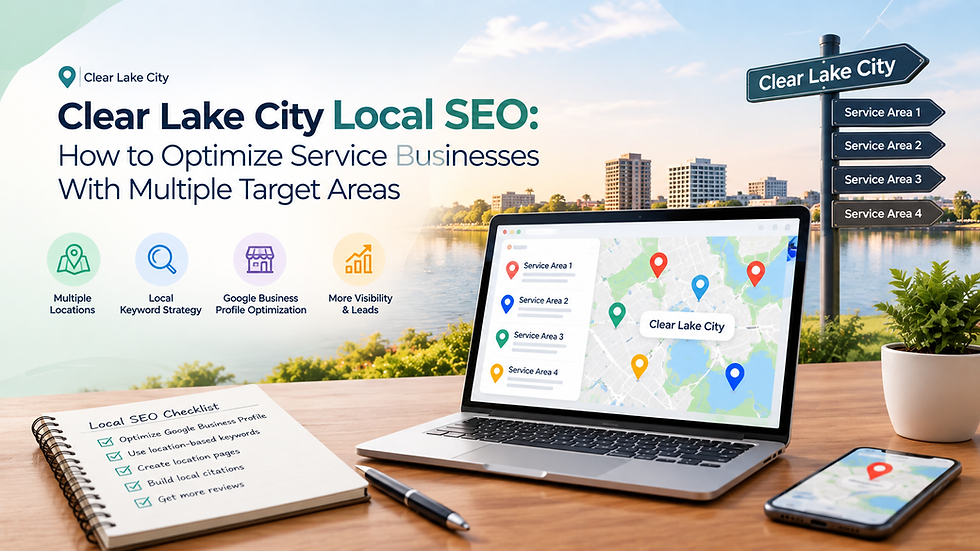
You run a service business in the Clear Lake area of Houston. Maybe you fix air conditioners, clean homes, treat pests, repair roofs or run a plumbing van. Your customers aren't only in Clear Lake City. They're in League City, Webster, Pasadena, Seabrook, Nassau Bay, Friendswood and El Lago too. You want to show up in all of those places, but Google seems to favour someone else.
This is the biggest challenge for service businesses: how do you rank in several areas without a shop in every one of them?
If you're looking for a Clear Lake City SEO company that understands this problem, or you want to tackle it yourself first, this guide explains exactly how multi-area local SEO works. It's written in plain language, with practical steps you can apply. Strong clearlake SEO comes down to a handful of smart decisions, and we'll walk through each of them.
Why Multi-Area SEO Is Different
A restaurant or a dentist has one address, and customers come to them. A service business is the opposite. You go to the customer.
That creates two problems:
Google ranks local results mostly by distance. If your office is in Clear Lake and someone searches "AC repair" from Pearland, a company based in Pearland will usually appear first.
You can't just say "we serve everywhere." Google wants proof, and so do customers.
So your job is to show Google, clearly and honestly, where you're based, where you work, and why you're the best choice in each area.
Understand How Google Decides Local Rankings
Google's local results (the "map pack" with three listings) are based on three main ideas:
Relevance: Does your business match what the person searched for?
Distance: How close are you to the searcher, or to the area they named?
Prominence: How well known and trusted are you? Reviews, mentions, links and website quality all count.
You can't change distance. You can strongly improve relevance and prominence. That's where your effort should go.
Step 1: Get Your Google Business Profile Right
Your Google Business Profile (GBP) is the most important local SEO asset you own. For service businesses, a few settings matter a lot.
Choose the right business type
If you visit customers and don't serve people at your address, set yourself up as a service-area business and hide your street address. Only show your address if customers actually visit you.
Pick your primary category carefully
Your primary category has a big influence on rankings. Choose the one that best describes your main service, such as "Plumber," "Roofing contractor" or "House cleaning service." Add secondary categories for your other services, but don't stuff in irrelevant ones.
Set your service areas honestly
Google allows a limited number of service areas. List the towns and neighbourhoods you truly serve. Choose areas within a realistic travel distance of your base. Adding 40 cities you've never worked in won't help you, and it can look spammy.
Keep your details complete
Business name exactly as it appears in real life (no keyword stuffing)
Phone number and website link
Accurate opening hours, including holiday hours
A clear business description that mentions your services and main areas
Real photos of your team, vans and completed jobs
Services listed with short descriptions
Post updates and add photos regularly
Updates, offers and fresh photos tell Google and customers that you're active. Even one post or a few new photos each week helps.
A warning about fake addresses
Never use a virtual office, a mailbox or a friend's address to pretend you're located in another city. Google actively suspends profiles for this, and losing your profile can hurt your business badly. Be honest about your real base.
Step 2: Build a Website Structure That Supports Multiple Areas
Your website has to do the heavy lifting where your Google profile can't. The goal is for Google to understand: what you do and where you do it.
Create separate service pages
Don't put every service on one page. If you offer drain cleaning, water heater repair and leak detection, give each one its own page. This lets each page target specific searches.
Create separate location pages
For each important area you serve, build a dedicated page. Examples:
Plumber in League City
Plumber in Webster
Plumber in Seabrook
This is the core strategy for multi-area SEO. But there's a right way and a wrong way to do it.
How to Build Location Pages That Actually Work
Many businesses ruin this step. They copy one page, swap the city name and publish 20 nearly identical pages. Google calls this doorway or thin content, and it can hurt more than help.
A good location page has real value for someone in that area. Include:
1. A clear, natural headline
Example: "Reliable Water Heater Repair in League City, TX."
2. Unique, useful information
Write about that area. Mention things such as:
Common issues in local homes (for example, older homes near Nassau Bay vs newer builds in parts of League City)
Local conditions like humidity, coastal air or storm season and how they affect your service
Neighbourhoods and streets you work in
Typical response times to that area
3. Proof of real work there
This is your biggest advantage. Add:
Photos of jobs completed in that area
Short case studies ("We replaced a failed AC unit in a Webster home in under four hours")
Reviews from customers in that area, with their permission
4. Your services offered in that area
Link to your main service pages so visitors and Google can move easily through your site.
5. Clear calls to action
Phone number, a short quote form and opening hours should be easy to find, especially on mobile.
6. An embedded map or service radius
Show where you work so visitors and Google understand your coverage.
7. Local FAQs
Answer real questions, such as "Do you offer same-day service in Friendswood?" or "How much does AC repair cost near Clear Lake?" These help you rank and help customers decide.
How many words should a location page have?
There's no magic number, but most strong pages fall between 400 and 800 words of genuinely useful content. Quality matters more than length.
How many location pages should you build?
Start with your top five to ten areas, the ones that bring or could bring the most profit. Build them well before adding more.
Step 3: Combine Services and Locations Smartly
Big service businesses often want to rank for every combination: "AC repair in Webster," "AC installation in Webster," "duct cleaning in Webster," and so on. That can turn into hundreds of pages.
Here's a practical approach:
Tier 1 (your best areas): Build a location page and separate service-and-location pages for your top services.
Tier 2 (secondary areas): Build one strong location page listing all your services.
Tier 3 (edge areas): Mention them in your service area list and on your Google profile, but don't build pages unless there's real demand.
This keeps your site tidy and avoids duplicate content, while focusing your effort where it pays back.
Step 4: Optimize On-Page Elements
Each page needs the basics done well.
Title tags
Keep them clear and under about 60 characters. Example: Water Heater Repair in League City | Your Company Name
Meta descriptions
These don't directly affect rankings, but a good one improves clicks. Mention the service, area and a reason to choose you.
Headings
Use one H1 per page with your main topic and area, then H2s and H3s for sections.
Internal links
Link between related pages. Your League City page should link to your services, and your services pages should link back to your location pages. Also link from your homepage to your key areas.
Image names and alt text
Describe images in plain words, such as "technician repairing water heater in League City." It helps accessibility and search.
Schema markup
Add LocalBusiness structured data with your name, phone, service area and hours. It helps Google understand your business clearly.
Step 5: Keep Your Business Information Consistent (NAP)
NAP means Name, Address and Phone number. It should be identical everywhere: your website, Google profile, Yelp, Facebook, Better Business Bureau, industry directories and any local listings.
Inconsistent details confuse Google and reduce trust. Even small differences ("Street" vs "St." or an old phone number) can cause problems over time.
Do a quick audit:
List every place your business appears online.
Check name, address and phone number for each.
Fix or remove anything outdated or duplicated.
Focus on quality directories that matter for your industry and for the Houston area rather than signing up to hundreds of low-value sites.
Step 6: Reviews Are Your Secret Weapon
Reviews influence both rankings and customer decisions. For multi-area businesses, they do something extra: they tell Google you work in different places.
How to get more reviews
Ask right after the job. Customers are happiest at that moment.
Make it easy. Send a direct review link by text or email.
Ask everyone, not just the customers you think are happy.
Train your team to ask politely at the end of every visit.
Encourage detail
When appropriate, invite customers to mention the service and area. Something like, "We'd love to hear what we did for you and where." Never write reviews for people, offer payment for reviews, or ask for only positive ones. That breaks Google's rules.
Respond to every review
Reply to good and bad reviews politely and professionally. Thank people, mention the service, and address complaints calmly. Responses show future customers that you care.
Step 7: Build Local Authority and Links
Prominence grows when other trusted local websites mention or link to you. For service businesses around Clear Lake, good sources include:
Local chambers of commerce and business associations
Community events and sponsorships (youth sports, school events, charity drives)
Local news or blogs that feature your business
Supplier and partner websites that list you as a trusted contractor
Local business directories with real editorial standards
A few relevant local links are often worth more than dozens of random ones. Think about relationships and real community involvement, not shortcuts.
Step 8: Create Content That Serves Each Area
Content helps you rank for more searches and builds trust. Ideas for multi-area service businesses:
Seasonal guides: "How to prepare your AC for a Houston summer" or "What to do after a storm floods your yard"
Cost guides: "What does roof repair cost in the Clear Lake area?"
Neighbourhood spotlights: Short features on work you've done in specific communities
How-to and troubleshooting posts: Help homeowners understand problems before they call
Case studies and before-and-after stories: Real proof beats promises
The rule is simple: write for real people in real places. If an article wouldn't help a homeowner in Webster or Seabrook, it probably won't help Google either.
Step 9: Don't Ignore Technical Basics
A strong strategy can fall apart on a weak website. Check these:
Mobile-friendly design: Most local searches happen on phones.
Fast loading: Compress images and use quality hosting.
HTTPS: Your site must be secure.
Click-to-call buttons: Make calling effortless.
Clear site structure: Visitors and Google should find any page in a few clicks.
No duplicate or broken pages: Fix errors regularly
Step 10: Track What's Working
You can't improve what you don't measure. Track these:
Google Business Profile insights: calls, website clicks, direction requests and how people found you
Google Search Console: which searches bring visitors and which pages perform
Google Analytics: traffic, behaviour and conversions from each location page
Call tracking: shows which pages and areas generate phone calls
Local rank tracking: shows where you rank in different parts of your service area
Look at results by area. You may find League City brings the most calls while Pasadena brings the most traffic but few leads. Then you can adjust your effort and budget.
Common Mistakes to Avoid
Copying the same page for every city. Google sees through it.
Using fake addresses. It risks a suspension.
Targeting too many areas at once. Spread too thin, you rank nowhere.
Ignoring reviews. Reviews drive both rankings and conversions.
Keyword stuffing. Repeating "Clear Lake plumber" fifty times reads badly and can be penalised.
Inconsistent business details. Small errors add up.
Forgetting mobile users. Slow or awkward sites lose calls.
Expecting instant results. Local SEO builds over time.
Neglecting your profile. A stale Google profile loses ground to active competitors.
Tracking only rankings. Calls, leads and revenue are what count.
A Simple 90-Day Action Plan
Days 1 to 30: Fix the foundation
Clean up and complete your Google Business Profile
Audit and fix NAP information
Check your site for mobile, speed and technical issues
Choose your top five to ten target areas
Days 31 to 60: Build your pages
Create or rewrite your main service pages
Publish high-quality location pages for your top areas
Add local schema, internal links and FAQs
Start a steady review-request routine
Days 61 to 90: Grow authority
Add photos and case studies from real jobs
Earn local links through partnerships and community activity
Publish helpful local content
Review data and decide which areas to expand into next
How Long Does It Take to See Results?
Local SEO isn't instant. Profile improvements and review growth can show effects within weeks. Location pages and content usually take three to six months to build momentum, and competitive markets can take longer. Progress tends to compound: each new review, page and local mention strengthens the others.
Be cautious of anyone guaranteeing top rankings. Google's results depend on many factors no agency controls.
Frequently Asked Questions
Can I rank in cities where I have no office? Yes, but it's harder. Focus on strong location pages, local reviews, proof of work and local links. You'll rank most easily near your actual base.
How many service areas should I list? Only the ones you genuinely serve within a reasonable driving distance. Quality and honesty beat quantity.
Do I need a separate Google profile for each area? Only if you have a real, staffed location in that area. Creating fake profiles breaks Google's rules.
Are location pages worth it? Yes, when they contain real, useful, unique information. Thin copy-and-paste pages are not.
What matters most: reviews, content or links? They work together. Start with your Google Business Profile and reviews, then strengthen your website, then build links and authority.
Can I do this myself? Many basics are manageable in-house. Larger or more competitive service businesses often benefit from expert help with strategy, technical work and scaling across areas.
Conclusion: Turn Clear Lake Into Your Local SEO Advantage
Ranking across multiple areas is about being clear, honest and useful. Choose the right business setup, build genuine location pages, collect reviews from real customers in each area, keep your details consistent and support it all with a fast, mobile-friendly website. Do these things well and Google can see that you're the right business for people in Clear Lake City and beyond. That's the heart of effective clearlake SEO.
The challenge is that doing all of this while running your business is a lot. That's why many owners work with a Clear Lake City SEO company that understands service businesses and multi-area strategy. Devoptiv helps local service businesses grow their visibility with practical, transparent SEO: Google Business Profile optimisation, location page strategy, technical fixes, review growth and local authority building, all focused on bringing in calls and booked jobs rather than empty traffic. If you serve more than one area and want a clear plan to win each one, Devoptiv can help you build it.
Start with the basics, stay consistent, and keep improving. With the right clearlake SEO approach, your business can become the one customers find first, wherever in the area they're searching.


Comments